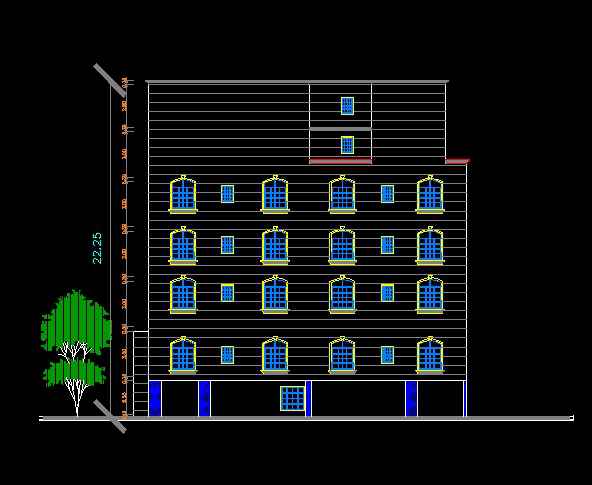
How to create multicolored lines in AutoCAD

June 13, 2016 Ellen Finkelstein 0

This is a guest post by Khwaja Ibrahim. He is a Mechanical Engineer by profession and a CAD Engineer from Pakistan. His services range from designing for 3D Printing, Sheet Metal, Injection Molding and Manufacturing processes to providing Photo-Realistic Rendered Images.

He gets the utmost satisfaction in bringing ideas to life allowing him to demonstrate […]

The post How to create multicolored lines in AutoCAD appeared first on AutoCAD Tips Blog.
Create objects with transparency in your AutoCAD drawing

January 20, 2016 Ellen Finkelstein 0

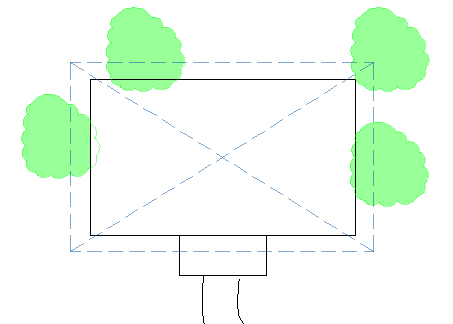
AutoCAD 2011 introduced the transparency property for objects. Transparency gives you the opportunity to create presentation-ready drawings. You can draw an object that is up to 90% transparent. Here you see some trees filled with a 60%-transparent solid fill.


As with other object properties, you should use the Layer Properties Manager to create a […]

The post Create objects with transparency in your AutoCAD drawing appeared first on AutoCAD Tips Blog.
Create objects with transparency in your AutoCAD drawing

January 20, 2016 Ellen Finkelstein 0

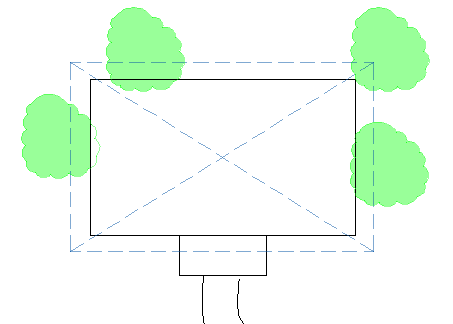
AutoCAD 2011 introduced the transparency property for objects. Transparency gives you the opportunity to create presentation-ready drawings. You can draw an object that is up to 90% transparent. Here you see some trees filled with a 60%-transparent solid fill.


As with other object properties, you should use the Layer Properties Manager to create a […]

The post Create objects with transparency in your AutoCAD drawing appeared first on AutoCAD Tips Blog.
Create objects with transparency in your AutoCAD drawing

January 20, 2016 Ellen Finkelstein 0

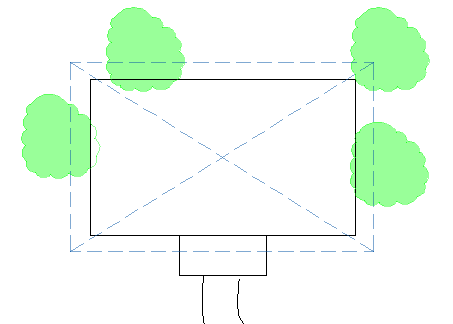
AutoCAD 2011 introduced the transparency property for objects. Transparency gives you the opportunity to create presentation-ready drawings. You can draw an object that is up to 90% transparent. Here you see some trees filled with a 60%-transparent solid fill.


As with other object properties, you should use the Layer Properties Manager to create a […]

The post Create objects with transparency in your AutoCAD drawing appeared first on AutoCAD Tips Blog.
Create objects with transparency in your AutoCAD drawing

January 20, 2016 Ellen Finkelstein 0

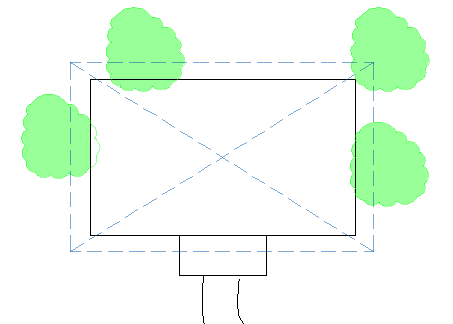
AutoCAD 2011 introduced the transparency property for objects. Transparency gives you the opportunity to create presentation-ready drawings. You can draw an object that is up to 90% transparent. Here you see some trees filled with a 60%-transparent solid fill.


As with other object properties, you should use the Layer Properties Manager to create a […]

The post Create objects with transparency in your AutoCAD drawing appeared first on AutoCAD Tips Blog.
Create objects with transparency in your AutoCAD drawing

January 20, 2016 Ellen Finkelstein 0

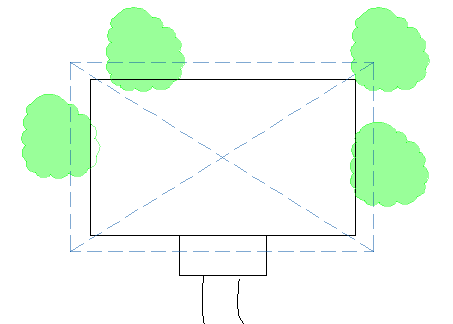
AutoCAD 2011 introduced the transparency property for objects. Transparency gives you the opportunity to create presentation-ready drawings. You can draw an object that is up to 90% transparent. Here you see some trees filled with a 60%-transparent solid fill.


As with other object properties, you should use the Layer Properties Manager to create a […]

The post Create objects with transparency in your AutoCAD drawing appeared first on AutoCAD Tips Blog.

Create objects with transparency in your AutoCAD drawing

January 20, 2016 Ellen Finkelstein 0

AutoCAD 2011 introduced the transparency property for objects. Transparency gives you the opportunity to create presentation-ready drawings. You can draw an object that is up to 90% transparent. Here you see some trees filled with a 60%-transparent solid fill.


As with other object properties, you should use the Layer Properties Manager to create a […]

The post Create objects with transparency in your AutoCAD drawing appeared first on AutoCAD Tips Blog.

Create objects with transparency in your AutoCAD drawing

January 20, 2016 Ellen Finkelstein 0

AutoCAD 2011 introduced the transparency property for objects. Transparency gives you the opportunity to create presentation-ready drawings. You can draw an object that is up to 90% transparent. Here you see some trees filled with a 60%-transparent solid fill.


As with other object properties, you should use the Layer Properties Manager to create a […]

The post Create objects with transparency in your AutoCAD drawing appeared first on AutoCAD Tips Blog.

Create objects with transparency in your AutoCAD drawing

January 20, 2016 Ellen Finkelstein 0

AutoCAD 2011 introduced the transparency property for objects. Transparency gives you the opportunity to create presentation-ready drawings. You can draw an object that is up to 90% transparent. Here you see some trees filled with a 60%-transparent solid fill.


As with other object properties, you should use the Layer Properties Manager to create a […]

The post Create objects with transparency in your AutoCAD drawing appeared first on AutoCAD Tips Blog.

Create objects with transparency in your AutoCAD drawing

January 20, 2016 Ellen Finkelstein 0

AutoCAD 2011 introduced the transparency property for objects. Transparency gives you the opportunity to create presentation-ready drawings. You can draw an object that is up to 90% transparent. Here you see some trees filled with a 60%-transparent solid fill.


As with other object properties, you should use the Layer Properties Manager to create a […]

The post Create objects with transparency in your AutoCAD drawing appeared first on AutoCAD Tips Blog.